
Every long-running Microsoft Identity Manager (MIM) estate carries at least one custom PowerShell management agent. It was built to reach a system that had no packaged connector at the time, it has been quietly running for years, and the person who wrote it may no longer be around. When the organization plans a move to SailPoint IdentityIQ, that agent becomes the hardest line on the inventory, because IdentityIQ has no PowerShell management agent type. Azure IAM, LLC, an independent identity consulting firm that migrates MIM estates to IdentityIQ, says the right question is not how to port the agent. It is what the agent was standing in for. The full method is documented at https://azureiam.com/mim-to-sailpoint.
What a PowerShell management agent is made of
MIM offers two routes to a PowerShell agent. Microsoft’s Windows PowerShell Connector, built on the ECMA2 framework, stores schema, import, export, and password scripts inside the Synchronization Service configuration and runs them under Windows PowerShell 5.1. The community Granfeldt PowerShell Management Agent, open sourced on GitHub, points at Schema, Import, Export, and Password script files on the sync server.
Either way the scripts cover four jobs. The schema script declares object types, attributes, and the anchor. The import script reads accounts from the target, in full or delta mode. The export script writes pending adds, updates, and deletes to the target. The password script, often empty, handles password sets. Everything around the scripts, attribute flows, join rules, projection rules, and run profiles, is ordinary MIM configuration that the migration converts like any other agent.
The reframe that makes the migration tractable
A PowerShell agent is a shim. The integration is whatever system the scripts call, and IdentityIQ almost always has a more direct way to reach that system. Azure IAM reads the scripts and sorts each agent into one of five destinations.
Destination one: a packaged connector already exists
Many PowerShell agents were written before a vendor connector existed, or before the organization licensed it. Entra ID, Exchange Online, ServiceNow, Workday, Salesforce, Google Workspace, and Okta all fall into this group. IdentityIQ ships connectors for these targets, so the PowerShell layer is retired outright and the IdentityIQ Application points at the packaged connector. The import script’s attribute list becomes the account schema, and the anchor becomes the native identity.
Destination two: the target is a REST or SOAP API
This is the most common case for a Granfeldt agent, and it maps to the IdentityIQ Web Services connector. Each MIM script operation becomes an HTTP operation: the import script becomes account aggregation and, if the script walked groups, group aggregation, both with pagination. The export script becomes create, update, enable, disable, delete, and change password operations. Response mapping replaces the hand-built object parsing, and BeanShell before and after operation rules take over any request shaping the script did in PowerShell. Most Invoke-RestMethod logic translates cleanly; what does not is listed as a caveat for a deliberate rebuild.
Destination three: the target is a database
Scripts that query and update tables map to the JDBC connector. Single-table reads become aggregation SQL. Writes that span several statements or call stored procedures become a BeanShell provisioning rule attached to the application, which is the IdentityIQ idiom for the same work the export script was doing.
Destination four: the target is a file drop
Import-only agents that read a CSV from a share become a Delimited File application for aggregation. If the agent also wrote a file for a downstream system to consume, that export has no connector equivalent and is scoped as a provisioning decision: either the downstream system gets a real connector, or a scheduled task produces the file from IdentityIQ data.
Destination five: the target is Windows itself
Some PowerShell agents never talked to an external system. They created Exchange mailboxes, home folders, or ran domain-side cmdlets after an Active Directory account existed. This is the one destination where the PowerShell survives. IdentityIQ runs scripts on the IQService host through the Active Directory connector’s native rules, ConnectorBeforeCreate, ConnectorAfterCreate, ConnectorBeforeModify, and their delete counterparts. The script moves to the IQService server and is wired to the right rule instead of a run profile.
When nothing fits
If an agent reaches a target with no packaged connector, no API, no database, and no file, the remaining option is a custom connector written against the IdentityIQ connector SDK in Java. Azure IAM treats that as a last resort and scopes it as new build with its own schedule, rather than folding it into the fixed fee migration.
Contoso, as an example
Consider a Contoso estate with three PowerShell agents. The first calls Microsoft Graph to manage guest accounts; it retires in favor of the packaged Entra ID connector. The second posts to an internal HR vendor’s REST API; it becomes a Web Services application with aggregation and provisioning operations. The third enables mailboxes after account creation; its script is moved to IQService and attached to a ConnectorAfterCreate rule. Three agents, three different answers, and none of them is a line-for-line port.
What the conversion produces
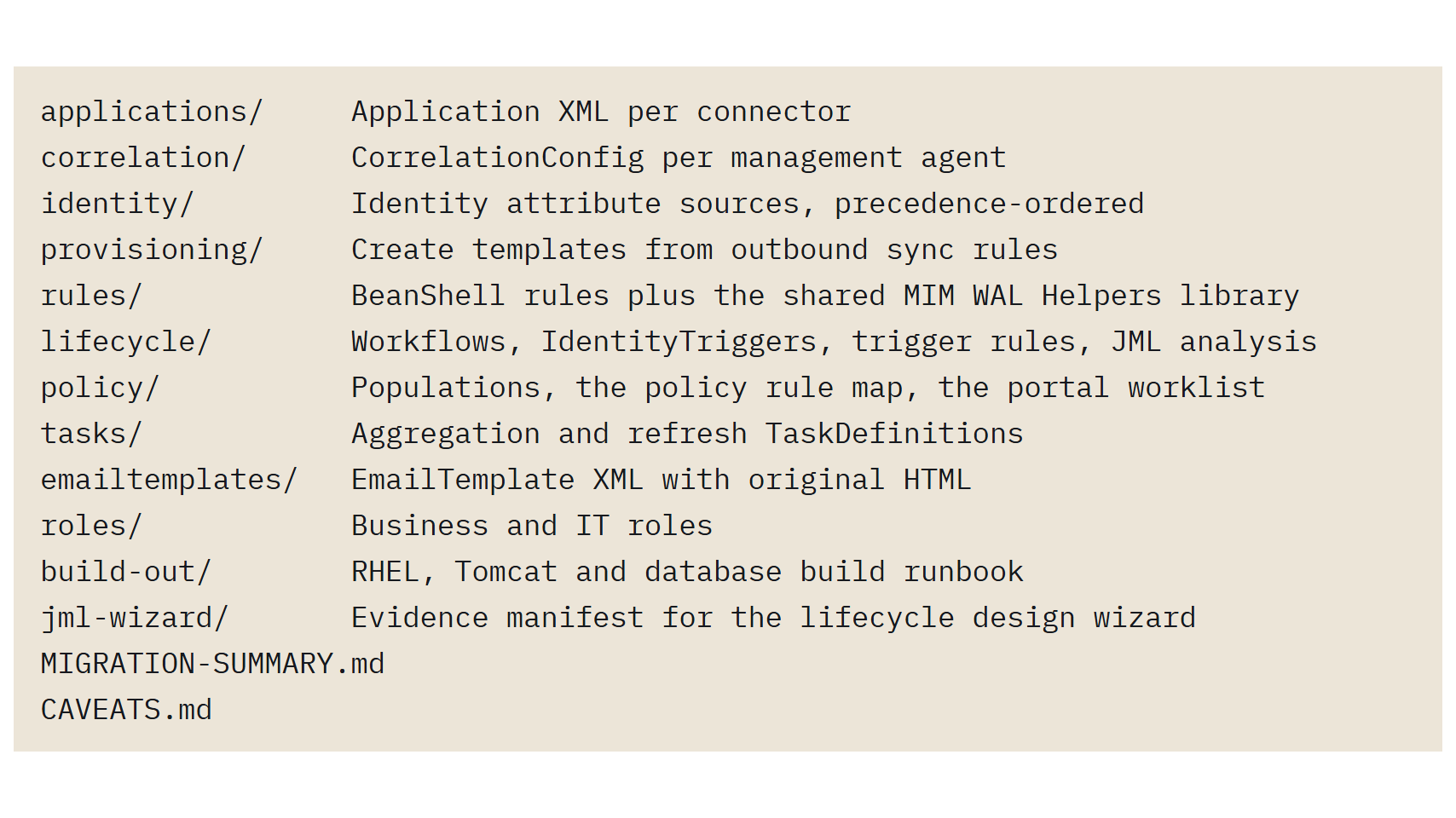
Azure IAM’s conversion starts from a MIM Configuration Documenter report. Every management agent in that report becomes an IdentityIQ Application, with the schema derived from the agent’s object types and attributes, correlation derived from its join rules, and credentials replaced by placeholder tokens. For a PowerShell agent the application shell, schema, and correlation come from the agent definition in the same way. The connector type behind it is chosen in scoping, from the scripts, because script bodies are code rather than synchronization configuration, and the conversion refuses to guess what code does. Attribute flows and provisioning declarations that referenced the agent still convert to identity attribute sources and provisioning templates, so nothing downstream of the agent is lost while the connector decision is made.
How the new connector is proven
Correctness is established in a parallel run. MIM stays the only system provisioning to the target. IdentityIQ aggregates from the same target through its new connector and computes the provisioning it would send, and the two are compared until accounts, attribute values, and planned changes match. For an import-only agent, aggregation parity is the whole test. For an agent that exported, the computed provisioning plans are checked against what MIM’s pending exports would have done. Nothing reaches the connected system from IdentityIQ until cutover.
Deadlines that shape the timeline
Microsoft’s extended support for MIM 2016 SP2 runs through January 10, 2029, which leaves room for a planned migration rather than a rushed one. Organizations that host the MIM Portal on SharePoint Server 2019 face an earlier constraint, because SharePoint Server 2019 reached end of support on July 14, 2026.
Next step
Organizations still running custom PowerShell management agents can book a scoping call with Azure IAM at https://azureiam.com/contact. The call inventories every custom agent, names the IdentityIQ connector that replaces each one, and leads to a fixed fee migration quote that covers what the MIM estate does today.
Azure IAM, LLC
2521 North Main
Unit 1-276
Las Cruces
New Mexico
88001
United States


